All Features:
Features Overview
TrackStock Inventory Management Software Features
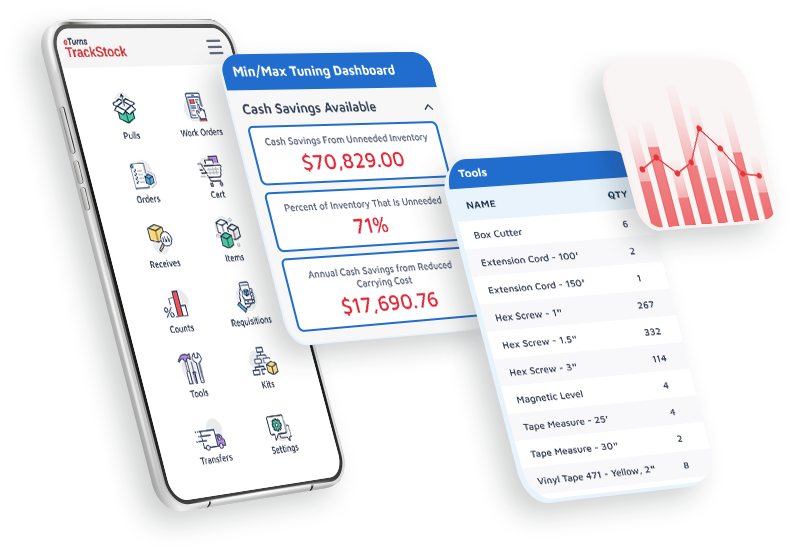
TrackStock by eTurns is inventory management software for stockrooms, service trucks, construction jobsites, and distributor-run VMI and consignment programs. Its 33 features cover point-of-use inventory control, consignment and VMI inventory management, automated replenishment, and inventory optimization. Specialized tracking includes weight-based, IoT, and RFID inventory management, plus lot, serial, and expiration tracking. Reporting, tool tracking, and ERP integrations round out the platform. Teams scan items with a mobile app, or SensorBins (weighted bins) count stock automatically. Either way, TrackStock reorders supplies when stock reaches its minimum.
Point-of-Use Inventory Control
Manage point-of-use stock quantities, track inventory movement, and maintain accurate records. 8 features.
✓
Item List Manage inventory items, quantities, suppliers, and stockroom information in one organized list.
✓
Cycle Counts Count inventory using mobile scanning to identify discrepancies, improve accuracy, and reduce manual counting work.
✓
Receives Record incoming shipments, confirm received materials, and update available inventory quantities.
✓
Stage Material Organize materials for upcoming jobs or work orders before employees put them into use.
✓
Pulls Record inventory usage by scanning items as employees remove materials, automatically updating quantities on hand.
✓
Return Orders Document materials returned to suppliers and maintain records of inventory return transactions.
✓
Transfers Move inventory between stockrooms, locations, or vehicles while maintaining transaction records.
✓
Kitting & Subassembly Combine related inventory items into kits or subassemblies to support repeatable jobs, assembly processes, and material preparation.
Consignment and VMI Inventory Management
Manage consigned inventory and support vendor-managed and customer-managed inventory programs. 5 features.
✓
Consigned Inventory Track supplier-owned inventory, record consumption, and support replenishment and billing.
✓
Vendor Managed Inventory (VMI) Support supplier-managed inventory programs that monitor stock levels and coordinate replenishment at the point of use.
✓
Customer Managed Inventory (CMI) Give customers control over inventory tracking, stock levels, and replenishment workflows.
✓
Work Orders Track parts and labor used on jobs, with support for capturing images, signatures, and related work information.
✓
User Defined Fields Capture additional information during inventory transactions to support job costing, tracking, and business-specific reporting.
Automated Replenishment and Inventory Optimization
Automate reordering and optimize stock levels based on inventory usage. 4 features.
✓
Set Min/Max Levels Establish minimum and maximum inventory quantities to guide replenishment and help prevent stockouts.
✓
AI Min/Max Optimization Analyze actual inventory usage and identify opportunities to adjust stock levels, reduce excess inventory, and improve replenishment.
✓
Requisitions Submit requests for inventory items and route them through approval workflows before fulfillment.
✓
Replenish Create and send replenishment orders to suppliers using barcode scans, inventory usage, and min/max settings.
Weight-Based, IoT, and RFID Inventory Management
Monitor inventory using weight-based smart bins, RFID technology, and electronic shelf labels. 3 features.
✓
SensorBins Use weight-based smart bins (weighted bins) to monitor inventory quantities and support automated replenishment without manual scanning.
✓
RFID Inventory Management Use RFID technology to identify and track tagged inventory items with less manual scanning.
✓
Electronic Shelf Labels (eLabels) Display inventory information on electronic shelf labels to help employees identify products and manage stockroom replenishment.
Lot, Serial, and Expiration Tracking
Track lot numbers, serial numbers, and expiration dates, and create labels for inventory identification. 2 features.
✓
Tracking of Expiration Dates, Serial Numbers, Lot Numbers Track individual items by serial number, identify inventory by lot number, and monitor expiration dates. These capabilities support traceability, inventory control, and management of specialized or regulated supplies.
✓
QR/Barcode Label Designer Create barcode and QR code labels for inventory items to support faster scanning, identification, and inventory transactions.
Inventory Reporting and Analytics
Monitor inventory performance, analyze demand, and generate operational reports. 7 features.
✓
Alert Dashboard Analytics View inventory alerts, stockouts, pending actions, and performance metrics from a central dashboard.
✓
Reporting: Schedule Reports with Email Alerts Schedule inventory reports and email notifications so teams receive important information without manually running reports.
✓
Reporting: Create Catalog Reports Generate organized inventory catalogs with item information and barcodes to support scanning and stockroom management.
✓
Reporting: View Reports Access reports on inventory, usage, purchasing, and operations. TrackStock plans include 23, 60, 70, or 88 reports, depending on the plan.
✓
Reporting: Customizable Reports Customize report information to focus on the inventory metrics and operational details your business needs.
✓
Project Spend Limits Track inventory spending against project budgets and receive alerts when established spending or quantity limits are exceeded.
✓
Precise Demand Planning Use point-of-use inventory and consumption data to help distributors forecast demand and improve purchasing decisions.
Tool Tracking and Asset Maintenance
Track tools, equipment assignments, and maintenance activity. 2 features.
✓
Asset Maintenance Track equipment maintenance requirements, schedules, and service activity to help keep assets available for use.
✓
Tool Tracking & Maintenance Track tools, assignments, and maintenance activity to improve accountability and equipment availability.
ERP Integrations and Punchout
Connect inventory workflows with ERP, supplier, and electronic procurement systems. 2 features.
✓
Integrations Connect TrackStock with ERP, accounting, and supplier systems to exchange inventory and purchasing information.
✓
Quotes & Punchout Support supplier quoting and electronic procurement workflows, including connections with purchasing systems.
User Permissions and Controls
Configure language preferences and control employee access to TrackStock features. 2 features.
✓
Language Settings Configure language preferences to help teams use TrackStock across different locations and work environments.
✓
User Permissions Control which inventory features and transactions employees can access based on their responsibilities.